
Snowella
Liu LianPersonalization
4.399.00 Reviews
- Version
- 1.0.5
- Installs
- 50.00K
- Age Rating
- Mature 17+
Screenshots
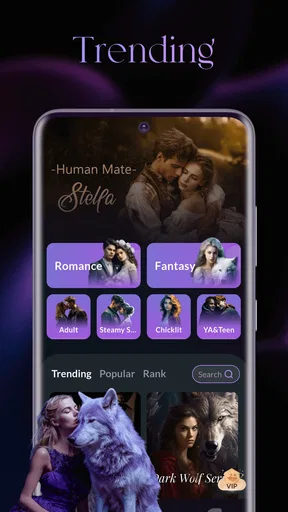
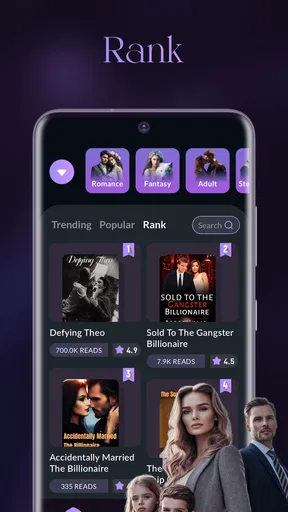
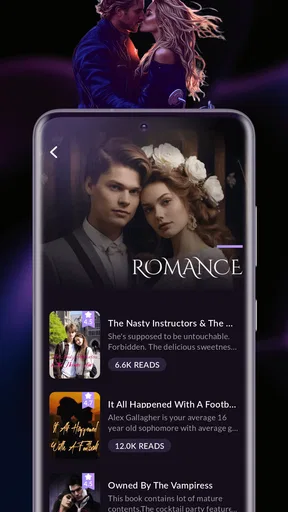
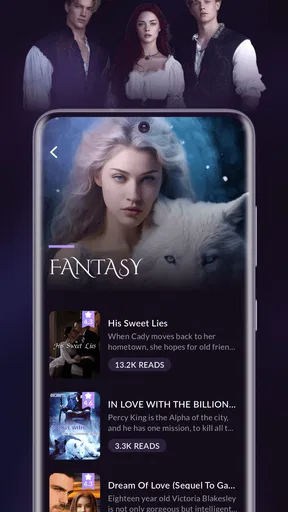
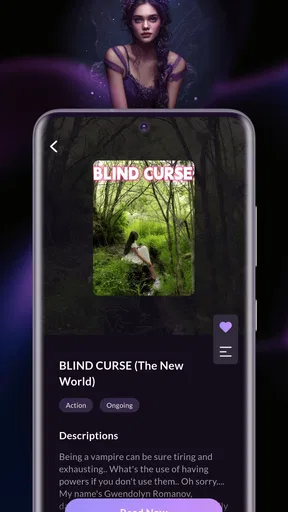
Our Review of Snowella
 Analysis by Appyee
I approached Snowella as a reading-focused personalization app rather than as a conventional wallpaper or theme utility. Its stated purpose is to help users gain knowledge through reading, and that makes the experience feel more like a small learning habit woven into the phone than a one-time visual customization. I found the idea appealing because it treats personalization as something useful, not merely decorative. At the same time, the app’s value depends heavily on whether its reading material fits your interests and whether you are comfortable using it in connected mobile situations.
Snowella is developed by Liu Lian and is available as a free app, although it includes optional purchases ranging from $0.99 to $99.99 per item. It sits in the personalization category, carries a Mature 17+ content rating, and requires Android 7.0 or later. The current release is version 1.0.5. Those details matter because this is not an app I would recommend blindly to every phone owner: the age classification deserves attention, and the optional purchase range means I would review any payment screen carefully before committing.
Its public reception is encouraging without being overwhelming. Snowella has a 4.3 average from around 420 ratings, with more than 50K installs. I read that as a sign of a developing product with a real audience, not as proof that it will suit everyone. My overall impression is that it works best for people who want small bursts of reading during ordinary phone use and who enjoy discovering information in a lightweight, casual way.
How Snowella Fits Into Everyday Connected Phone Use
I find Snowella most useful when I treat it as a small, intentional part of my phone routine rather than something that should fill every spare moment. In this section, I’m looking at how that connected reading habit can fit around other apps and everyday tasks, while keeping its limits in view. That makes it easier to decide when a quick reading session is a good handoff—and when another tool is the better next step.
Reading when the phone is already in your hand
The most interesting part of Snowella is the relationship between personalization and attention. A normal personalization app usually changes how the phone looks, while a reading app usually asks you to open it deliberately and stay there. Snowella appears to sit between those habits. It gives the phone a knowledge-oriented purpose, but the usefulness still depends on the moments when I have enough attention to read.
That distinction is important. I would not treat it as a replacement for a serious ebook reader, a structured course, or a reference library. Instead, I see it as a way to turn short gaps into small learning sessions. Waiting for an appointment, taking a break between tasks, or sitting on public transport can become an opportunity to read something brief rather than automatically moving through social feeds.
Connectivity shapes that experience in a practical way. If content is being loaded or refreshed while I use the app, a stable connection should make the interaction feel more immediate. On a strong network, Snowella is easier to approach casually because I do not have to plan a long session. I can open it, see what is available, read for a while, and move on. That low-commitment pattern is its strongest use case.
On the other hand, I would not build a travel routine around it without testing the exact behavior on my own device first. A reading app can feel very different when the network is slow, unavailable, or switching between mobile data and Wi-Fi. The sensible approach is to use it where connectivity is normally reliable, then see how gracefully it handles interruptions before depending on it during flights, commutes through weak-signal areas, or outdoor trips.
A realistic mobile scenario
Imagine that I have ten minutes before a meeting. I do not want to start a long article, download a book, or get pulled into a social platform. Snowella makes sense in that gap because its central idea is quick access to knowledge through reading. I can use the time for one focused piece, close the app when the meeting begins, and return later without turning the break into a major project.
That scenario also reveals a limitation: the app is only helpful if the available material matches my mood and attention span. If I am looking for a specific subject, a dedicated news reader, encyclopedia, or ebook service may get me to the right information faster. Snowella is more suitable when I want guided discovery than when I already know exactly what I need to find.
What to consider on mobile data
I would be cautious about using any content-refreshing app freely on mobile data until I understand its behavior. Snowella’s purpose involves reading, and reading content can involve loading text or other page elements. Even when an individual item feels small, repeated casual sessions can become a habit. My practical tip is to use Wi-Fi for regular browsing when possible, especially if you are on a limited data plan, and to pay attention to the phone’s own data-use controls.
This is not just about saving data. It also affects battery expectations and responsiveness. A phone working through a weak connection may spend more time waiting, retrying, or refreshing than it would on a strong network. If Snowella feels sluggish in one location, I would test it again on a better connection before deciding that the app itself is unreliable.
When a connection fails
The most useful test for a connected reading experience is not the perfect session; it is the interrupted one. If the network drops while I am opening content, I want to know whether the app leaves me with a clear retry path or an ambiguous loading state. If a connection changes while I am reading, I also care about whether I can return to the same place without unnecessary steps.
I would approach Snowella with realistic expectations here. I would not assume that every reading item remains available without a connection, and I would not assume that a previously viewed item behaves like a downloaded book. Before using it in a low-connectivity setting, I would deliberately test it: open the app on Wi-Fi, switch to mobile data, briefly disable connectivity, and then restore it. That simple check tells me more about my own setup than a general promise about offline use ever could.
Recovery is especially important for short sessions. If I only have a few minutes, spending most of that time waiting for a refresh defeats the purpose. When the app is responsive, its casual format is convenient. When access becomes uncertain, a locally stored reading app or a traditional ebook reader may be the better companion.
Using it without wasting attention
My best workflow would be to give Snowella a defined role. I would use it for discovery and short reading, not as the only place where I manage all my learning. For deeper study, I would move useful ideas into a note-taking app or a more structured source. This prevents an interesting fragment from disappearing as soon as I close the screen.
Another helpful habit is to decide in advance how long a session should last. Snowella can fit naturally into a five-minute pause, but a phone designed to offer constant content can also make breaks feel less restful. If I am tired, I may prefer silence, music, or a proper break instead of another stream of information. The app is most valuable when reading is a deliberate choice rather than an automatic reflex.
I would also keep the Mature 17+ rating in mind when deciding who can use it. That classification makes it unsuitable as a casual recommendation for younger users, even if the knowledge-focused concept sounds educational. Parents and guardians should check the app directly and consider whether its content and purchasing options fit the intended user before allowing access.
How it compares with familiar alternatives
Compared with a standard wallpaper app, Snowella offers a more active reason to return. A wallpaper changes the visual mood of a phone but does not necessarily give me anything to think about. Compared with a dedicated ebook reader, however, Snowella seems better suited to brief discovery than to long, organized reading. An ebook app usually wins when I want chapters, a known title, adjustable reading routines, or a book I can deliberately carry through a weak-signal day.
It also differs from news and social-feed apps. Those services are often built around immediacy, volume, and constant updates. Snowella’s appeal is calmer: the focus is on gaining knowledge through reading rather than following a fast-moving conversation. That can be a benefit if I want fewer distractions, but it may feel limited if I expect detailed search, broad current-affairs coverage, or advanced organization.
For a user who wants a personalized learning nudge, Snowella is more distinctive than another decorative customization tool. For someone who already has a carefully organized reading system, it may add little unless its content and presentation make discovery easier. The right choice depends on whether you need a source of structured material or simply a reason to read something useful during spare moments.
Payments and everyday caution
The app is free to install, which makes trying the basic experience straightforward. Still, optional purchases can cost from $0.99 to $99.99 per item, so I would not tap through a purchase screen casually. I would first understand what the item provides, whether it is a one-time purchase, and whether it changes the way I expect to use the app. A free starting point is helpful, but the presence of higher-priced items means the payment flow deserves the same attention I would give any content app.
This is another reason Snowella may not be ideal for a child’s device or a shared family phone without supervision. The Mature 17+ classification and purchase range are both practical signals to check the experience personally. I would also make sure the device’s purchase protections are active before handing the phone to someone else.
Who will enjoy Snowella most
I would recommend Snowella to adults who like learning in small pieces, enjoy discovering reading material without choosing a full book, and usually have dependable connectivity. It is a good match for someone who wants a more meaningful phone habit but does not want to commit to a formal study platform. The personalization angle gives ordinary phone use a little more purpose.
I would be less enthusiastic for readers who need deep controls, reliable access in disconnected places, or a precise catalog of known books and subjects. Students working toward a defined syllabus may need searchable references and progress tools instead. People with limited mobile data should test it carefully and favor Wi-Fi. Younger users should also be excluded unless an adult has checked the content and purchase setup because of the age rating.
My final connectivity verdict
Snowella’s strongest idea is simple: make reading and learning feel closer to the everyday phone experience. In my view, it succeeds when I use it for short, intentional sessions on a reliable connection. It gives personalization a practical purpose and can replace a few empty minutes with something more rewarding than routine scrolling.
Its weaker side is the uncertainty that comes with any experience shaped by network conditions. I would not assume that it is a dependable offline library, and I would test loading and recovery before taking it somewhere with poor service. I would also watch mobile-data use and treat the optional purchases carefully.
Overall, I see Snowella as a promising free personalization app for curious adults who want lightweight reading rather than a full reading-management system. The 4.3 average and audience of over 50K installs suggest that the concept has found interest, while its relatively focused purpose makes the decision fairly clear. If you want small knowledge breaks and normally use your phone online, Snowella is worth trying; if you need guaranteed offline reading, advanced book organization, or a child-friendly experience, a more specialized alternative will serve you better.
Verdict
Strengths of Snowella
- Simple snow-themed interface that is easy to browse and understand.
- Lightweight design should run smoothly on many modern devices.
- Seasonal content creates a pleasant winter atmosphere.
- Useful for users looking for a focused, snow-related experience.
- Quick access to the app’s main features with minimal setup.
Limitations of Snowella
- The winter theme may feel repetitive after extended use.
- Limited appeal for users who are not interested in snow content.
- Some features may depend on an active internet connection.
- Could offer more customization for colors, layouts, or notifications.
- Seasonal relevance may decrease outside the winter months.
Similar Picks in This Category
View All
Microsoft SwiftKey AI Keyboard
SwiftKey4.3

Wallpapers
Google LLC4.1

Zedge™ Wallpapers & Ringtones
Zedge4.7

Yandex Browser with Alice AI
Direct Cursus Computer Systems Trading LLC4.3

Ringtone Maker:create ringtone
Big Bang Inc.4.7

Fonts Keyboard
Fonts Keyboard3.9
Frequently Asked Questions
What is Snowella, and what can I do with the app?
Snowella is a winter-themed mobile app designed to provide a festive, snow-covered experience on your device. Depending on the version available for Android or iOS, it may include seasonal visuals, interactive elements, customization options, or relaxing entertainment features. Before downloading, check the store description and screenshots to confirm the exact tools, content, and supported devices included in the current release.
Is Snowella free to download and use?
Snowella may be available as a free download, but the overall cost depends on the version published in your region. Some features, visual packs, extra content, or the removal of advertising may require in-app purchases. I recommend reviewing the app-store listing carefully before installing, especially the pricing section, subscription details, and whether payments are optional or necessary for accessing the main experience.
Does Snowella require an internet connection?
The connection requirements can vary according to the features included in your version of Snowella. Basic visual or offline content may work without mobile data after installation, while advertisements, updates, online content, analytics, or optional downloads may require internet access. If offline use is important to you, check the app’s store information and test its main features after installation before relying on it without connectivity.
Is Snowella safe for children and does it collect personal data?
Snowella’s suitability for children depends on its content, advertising, permissions, and privacy practices. Before downloading, parents should review the age rating, developer information, privacy policy, and data-safety section on Google Play or the App Store. Pay particular attention to tracking, advertising, purchase options, and requested permissions. Avoid granting access that does not appear necessary for the app’s core features.
Which devices support Snowella, and what should I check before installing it?
Snowella’s compatibility depends on the operating system version, device architecture, available storage, and the specific release offered by the developer. Before installing, confirm that your Android or iPhone meets the minimum requirements shown on its official store page. It is also wise to check the latest update date, user reviews, permissions, and download size, because older devices may experience slower performance or limited functionality.
